
Professions · Updated in 2026
The photographer's monitor: from culling to delivering prints
A photographer does not ask the same things of a monitor as a gamer or a developer. They need to judge grain at 100%, find their colours again on a paper print, frame vertically without turning their head, and sometimes turn the panel towards a client. Here is how to choose on those four criteria.
The four moments of a shoot
Culling
This is where resolution counts most, and nobody talks about it. Judging the sharpness of a portrait, spotting camera shake, choosing between two almost identical images: that is done at 100%, not in a thumbnail. On a 32-inch 4K panel, an image shown at full size fills the whole screen; on a 6K panel you see the photo at full resolution and with your palettes around it. Culling goes twice as fast.
Retouching
Three numbers, and only one is truly decisive. DCI-P3 coverage determines the colours the monitor can display: below 95%, certain hues in your files are replaced by an approximation, with nothing to tell you. The 10 bits avoid banding on a sky or on skin in soft light. And contrast decides what you see in the shadows: an ordinary IPS panel tops out at 1000:1, IPS Black doubles that ratio to 2000:1. On an underexposed photo, that changes the work, not just the comfort.
Vertical framing
Half of portraiture is framed vertically, and the monitor stays horizontal: you are therefore working on a quarter of the available surface. The 90-degree rotation, provided as standard by Kuycon stands, settles that imbalance. Many photographers end up dedicating a second monitor to portrait; see the dual-monitor guide.
Delivering to the client
The moment the monitor stops being a tool and becomes a shop window. Turning a machined aluminium panel towards a client does not have the same effect as a black plastic box on a wobbly stand. That is not vanity: presentation is part of the service, and it is a point we detail in the design of Kuycon monitors.
Our selection
Three monitors for photographers

Kuycon G32P
32" · 6K · Nano IPS Black
From 1 469,90 € incl. VAT
- Resolution6144 × 3456
- Colours99 % DCI-P3
- Depth10-bit
- Contrast2000:1
- Brightness500 nits sustained
- Finishglossy anti-reflective
Why we recommend it: 21.2 million pixels means an image at full resolution with all the tools around it. The 2000:1 contrast makes shadows readable, and the glossy finish preserves saturation in a studio with controlled light.

Kuycon G27P
27" · 5K · IPS Black
From 869,90 € incl. VAT
- Resolution5120 × 2880
- Colours99 % DCI-P3
- Depth10-bit
- Contrast2000:1
- Brightness600 nits sustained
- Calibrationfactory
Why we recommend it: the same colour fundamentals as the G32P, factory calibrated, in a format easier to place and to rotate into portrait — for around €940.
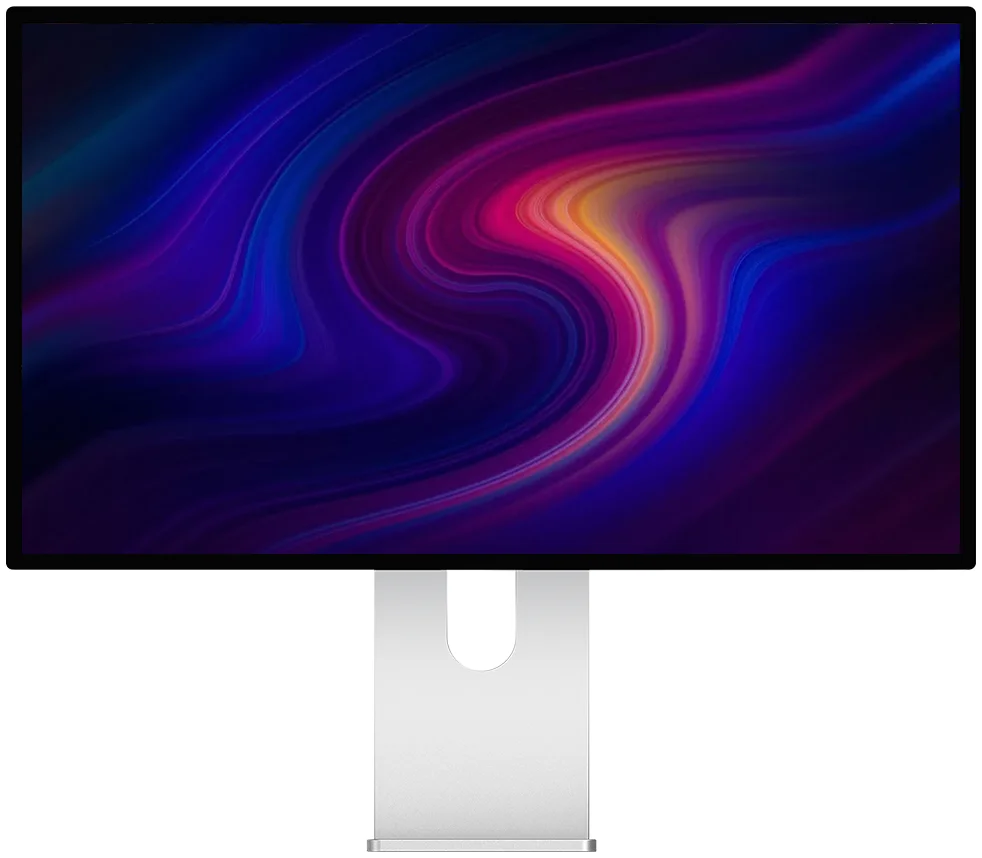
Kuycon P32T
32" · 4K · 10-bit IPS
From 729,90 € incl. VAT
- Resolution3840 × 2160
- Colours98 % DCI-P3
- Delta E< 2
- Calibrationreport supplied
- Chassismachined aluminium
- Refresh rate160 Hz
Why we recommend it: it is the only one in the range supplied with its colour calibration report, Delta E below 2. For a photographer who wants a measured baseline straight out of the box, at less than €750, it is hard to beat.
Matching the screen and the print
This is the classic frustration: the image is perfect on screen, the print comes back dark and dull. Nine times out of ten, the cause is not the printer, it is the monitor's brightness.
Turn the brightness down
A monitor set to 300 or 400 cd/m² lies about your images. For work destined for paper, the usual reference is around 120 cd/m² — well below the maximum. The DDC/CI protocol lets you go down to exactly that value from the computer.
Calibrate with a probe
Factory calibration gives an excellent baseline; an off-the-shelf probe then generates an ICC profile suited to your room and your lighting. It is that profile which makes the link with paper.
Control the ambient light
A warm light on the desk and a cool light on the ceiling distort your judgement far more than the monitor itself. Neutral, stable lighting is worth more than a probe used haphazardly.
Repeat two or three times a year
Every panel drifts slowly. That is normal, and it takes ten minutes to correct.
Matte or glossy, in a studio?
If you work in a room whose lighting you control — which is the case in most studios — the glossy anti-reflective preserves contrast and saturation better: it is the best choice. If your retouching station is set up near a window, or in a shared office with multiple light sources, the matte saves you from spending the day working around a reflection. The G32X offers 6K in a matte finish; we compare the two approaches in matte or glossy.
And Adobe RGB?
A legitimate question, and an honest answer: the range is specified in DCI-P3 and sRGB, not in Adobe RGB. For photography destined for the web, social media and screens, DCI-P3 is the relevant space today. If your entire production chain is built on Adobe RGB for print, check the coverage of that specific space on the product page before ordering.
FAQ
Photographer's monitor: frequently asked questions
Which monitor for professional photo editing?
The G32P if you work on large files: 6K, 99% DCI-P3, 10-bit and 2000:1 contrast let you display an image at full resolution with the palettes around it. The G27P offers the same colour fundamentals at 27 inches, for around €940.
Is there a monitor supplied with a calibration report?
Yes: the P32T is factory calibrated and supplied with its colour calibration report, with a Delta E below 2. It is the most accessible measured baseline in the range.
Why are my prints darker than the screen?
Because the screen is almost always set too bright. For work destined for paper, come down to around 120 cd/m², well below the maximum, then calibrate with a probe. The room's ambient light counts just as much.
Is portrait mode useful in photography?
Very, as soon as you frame vertically: on a horizontal monitor, a vertical image occupies only a quarter of the surface. Kuycon stands provide 90-degree rotation as standard.
Do these monitors cover Adobe RGB?
The range is specified in DCI-P3 and sRGB. For photography destined for the web and for screens, DCI-P3 is the relevant space. If your chain rests entirely on Adobe RGB for print, check the coverage of that space on the product page.
Measured colours, straight out of the box
99% DCI-P3, 10-bit, individual factory calibration and a measurement report on the P32T. 2-year warranty in the European Union.
See all Kuycon monitorsGuide written in August 2026. Colour specifications vary by model; check the product page before buying.