
Buying guide · Updated in 2026
Your first external monitor: the six questions to ask
Choosing a monitor when you have never bought one means facing a wall of acronyms: 4K, 5K, ppi, HDR, DSC, DisplayPort Alt. Here are the six questions that really are enough, in the order they arise.
Safe bets
Two choices that are hard to regret
One for the budget, one for sharpness.
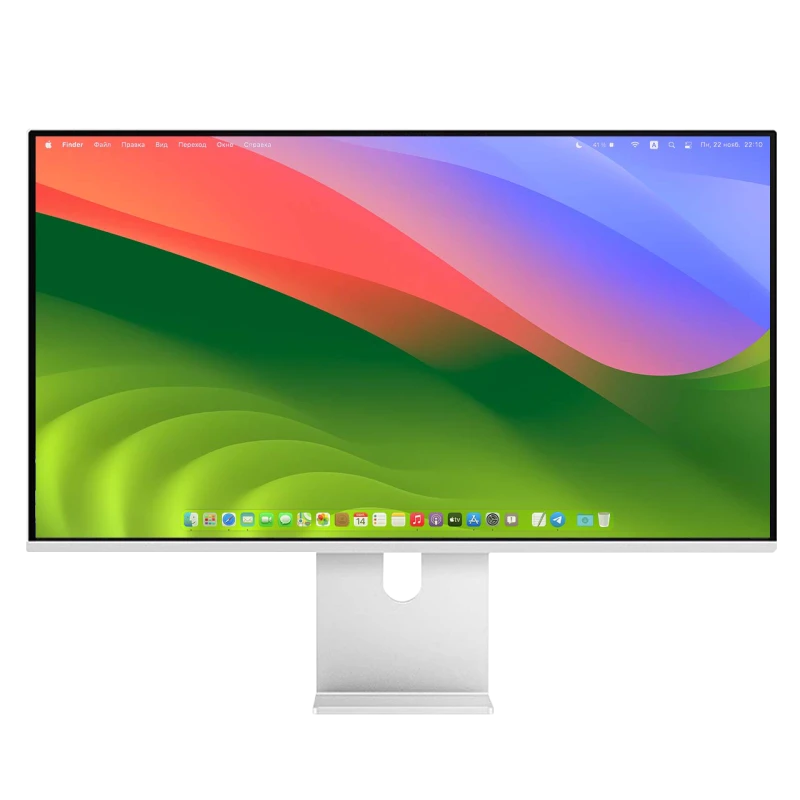
Kuycon P27L
27" · 4K · matte · USB-C
From 499,17 € incl. VAT
- Resolution3840 × 2160
- Finishmatte
- Refresh rate60 Hz
- Brightness400 nits
- Connectionone cable
- Price< 500 €
Why we recommend it: it does everything you expect of a first monitor without charging for anything unnecessary: 4K, a matte finish that forgives badly lit rooms, and a one-cable connection.
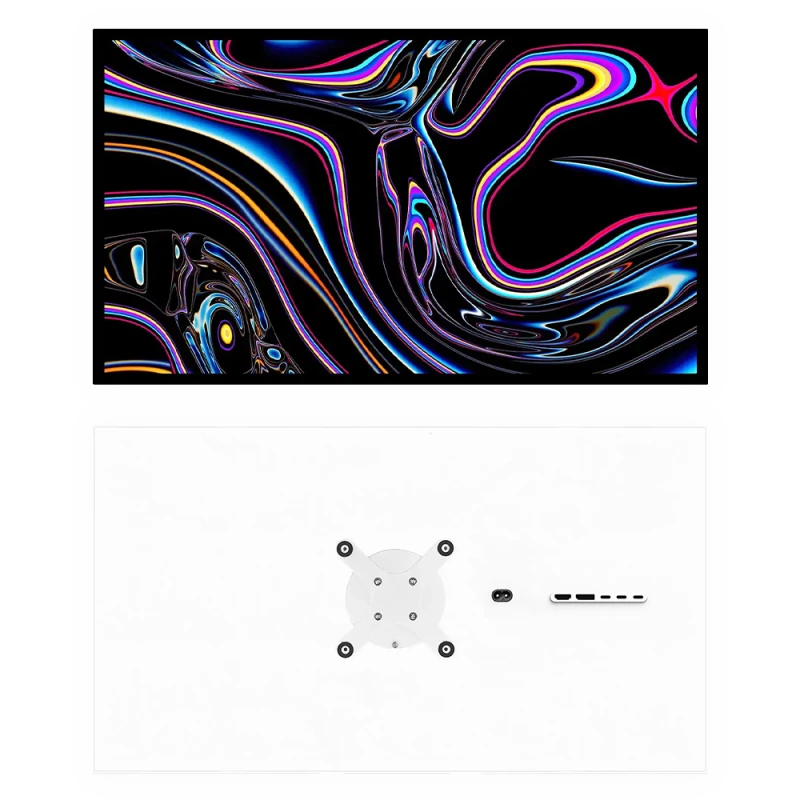
Kuycon G27P
27" · 5K · 218 ppi
From 869,90 € incl. VAT
- Resolution5120 × 2880
- Density218 ppi
- Contrast2000:1
- Brightness600 nits
- USB-C100 W
- HDRyes
Why we recommend it: if you work on a Mac or spend your days in text, this is the monitor that will still please you in eight years. Density is the only criterion people regret underestimating.
The six questions, in order
- 1. How deep is my desk? Below 70 cm, stay with 27 inches. It is the leading cause of returns, and it takes ten seconds to measure.
- 2. What is behind me? A window or a lamp? Choose a matte panel. A room with controlled lighting? Glossy anti-reflective will give more contrast.
- 3. Do I work on a Mac? If so, density counts: a 27-inch 5K gives Retina rendering that 4K does not reach. If not, a 32-inch 4K offers more surface for less money.
- 4. Is my computer a laptop? If so, aim for USB-C: one cable for the picture, the peripherals and charging.
- 5. Do I game? If so, look at the refresh rate and the HDMI version. If not, 60 or 75 Hz is amply enough.
- 6. Do I need a camera and speakers? The monitors in the range do not have them. If you already own a webcam and a headset, you save; if not, plan for them.
What you do not need to worry about
Three common anxieties, and why they are not: installation requires no driver, the monitor is recognised on its own; the cables are supplied, USB-C, DisplayPort and HDMI; and compatibility only raises questions for high resolutions on older machines — the connectivity guide covers that case.
The only real possible regret
It almost always concerns density. A monitor too low in density for its size — typically a 27-inch 4K with a Mac — is used every day for eight years in exchange for a few hundred euros saved once. If you are hesitating between two models, that is the criterion on which to move up.
FAQ
First monitor: frequently asked questions
Which monitor should you choose when starting out?
A matte 27-inch 4K like the P27L under €500 if budget comes first, or a 27-inch 5K like the G27P if you work on a Mac or a lot in text. These are two choices that are hard to regret.
Do you need to install anything?
No. macOS, Windows and Linux recognise the monitor and its resolution automatically. No driver, no software, no account.
Are the cables supplied?
Yes: USB-C, DisplayPort and HDMI, plus two USB-C to USB-A adapters and the VESA 100 × 100 adapter.
4K or 5K to start with?
4K if you are on a PC and want the best surface-per-euro ratio. 5K if you are on a Mac: 218 ppi match the density macOS expects, and the difference shows on text.
Is the stand included?
The monitor comes with its VESA adapter and its cables; the stand is ordered in a pack or separately from €49.90, which avoids paying for it if you already have a desk arm.
A first monitor that lasts
Cables and VESA adapter included, no driver to install, 2-year warranty in the European Union.
See all Kuycon monitorsGuide written in August 2026. The specifications are those published by the manufacturer; check the product page before buying.