
Buying guide · Updated in 2026
Stands, mounts and VESA fixing
Kuycon monitors come with their VESA 100 × 100 adapter and their cables; the stand, however, is chosen separately or in a pack. That is not an oversight, it is a choice — and it leaves you three options depending on your desk.
Three ways to set up your monitor
The pack, the stand alone, or your own
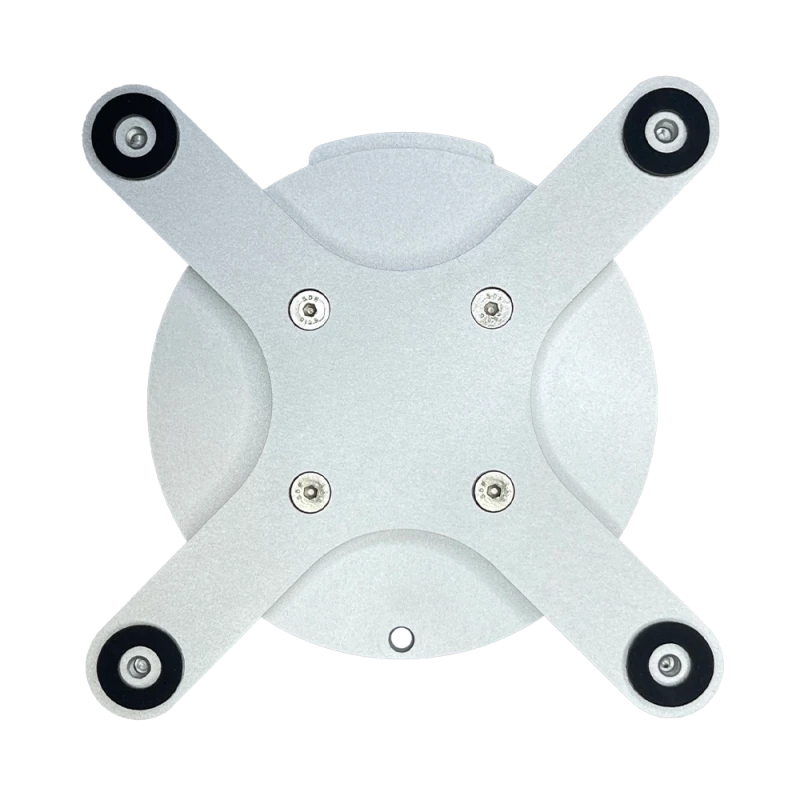
All three rely on the same VESA 100 × 100 mount, supplied with the monitor.
The monitor + stand pack
Everything arrives in the same parcel
Every monitor exists as a pack with the Kuycon stand for its size. It is the option to choose if you are starting from scratch: nothing to measure, nothing to check, the stand matches the weight and format of the panel. The premium over the monitor alone stays below the price of the stand bought separately.
The stand alone
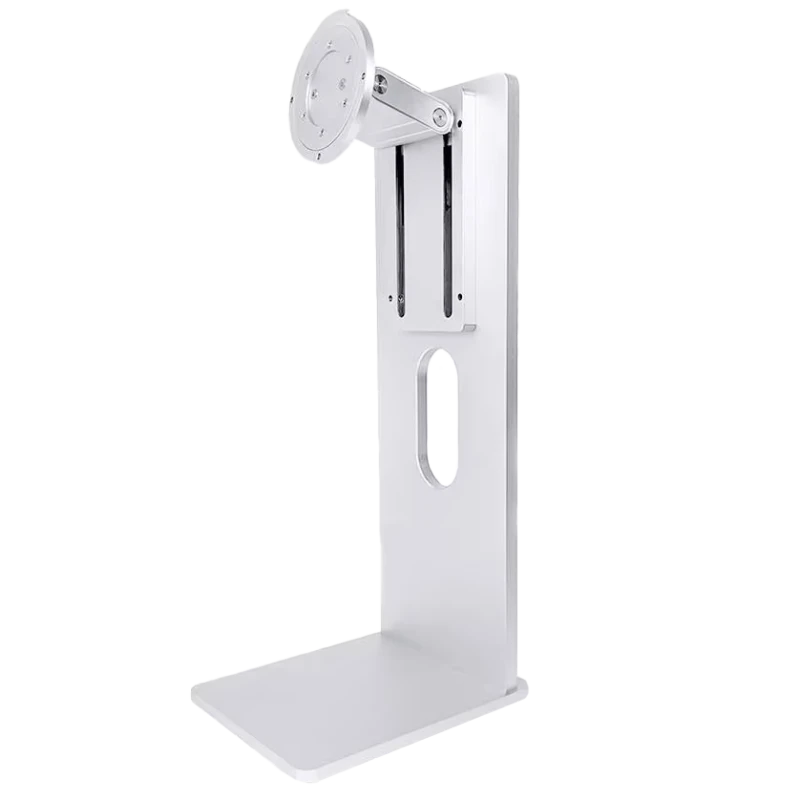
Adjustable · VESA 100 × 100
From 49,90 € incl. VAT
- Heightadjustable
- Tiltyes
- Swivelyes
- Portrait90° rotation
Available in 27, 32, 34 and 40 inches, it is ordered separately — handy for adding a second monitor, replacing a stand, or fitting out a model bought without one. Compatible with Kuycon monitors and with most monitors on the market.

Universal VESA mount
Free-standing aluminium base
From 169,90 € incl. VAT
- Compatible24 to 40 inches
- Loadup to 10 kg
- MountingVESA 100 × 100
- Installationno clamp, no drilling
A base that simply sits on the desk, height-adjustable, taking almost any monitor from 24 to 40 inches. The answer when the desk cannot take a clamp — a glass top, a fragile piece of furniture, a top that is too thick — or when nothing may be drilled.
What the box really contains
Better to say it clearly before you order: a Kuycon monitor bought on its own arrives with the panel, the VESA 100 × 100 adapter, the remote control, the power cord and the video cables — USB-C, DisplayPort and HDMI depending on the model. The adjustable stand is not in the box.
That choice has a logic: a large share of the buyers of these monitors already own a desk arm or an articulated mount, and have no use for an extra stand. Rather than charging everyone for it, it is offered as a pack for those who need it.
VESA 100 × 100, what it means
It is a mounting standard: four threaded holes arranged in a 100 mm square on the back of the monitor. Any mount carrying that marking screws onto it, whatever the brand. That is what makes Kuycon monitors compatible with the vast majority of desk arms, wall mounts and dual-monitor columns on the market.
Two points to check before buying a third-party mount:
- The permissible load. A 27-inch weighs around 8 kg with its stand; large formats go higher. Compare that weight with the capacity stated by the arm's manufacturer, and keep a margin.
- The adjustment range. An arm designed for a 24-inch may lack reach or counterweight with a 32 or a 40-inch, even if the mount is identical.
Stand, arm or wall mount?
- The stand remains the simplest and most stable solution. Adjustable in height, tilt, swivel and portrait rotation, it covers every need of a fixed workstation.
- The desk arm frees the surface under the monitor and lets you push it back, pull it forward or share it with a colleague. It is the best choice on a shallow desk, or for a dual-monitor setup.
- The wall mount suits permanent installations and very large formats, provided the wall allows it.
- The free-standing base answers the particular case of desks that can neither be drilled nor clamped.
Portrait mode, for whom?
Rotating 90 degrees genuinely changes things in three professions: development, where you see twice as many lines of code; writing and layout, where the page appears in full; and photography in vertical framing. Kuycon stands provide that rotation as standard — just remember to adjust the orientation in the display settings of macOS or Windows after turning the monitor.
Mounting the monitor, in practice
Lay the monitor face down on a soft surface
A towel or the packaging box will do. Never lay a panel directly on a table: that is the move that scratches the most screens.
Attach the VESA adapter
It screws onto the four points on the back. Tighten firmly, without forcing: the thread is metal, but there is no point straining it.
Hook on the stand or the arm
On most mounts, a quick-release plate lets you click the monitor into place one-handed. Check that the safety catch is properly engaged before letting go.
Set the height before connecting
The top of the monitor should be at eye level, or slightly below. Route the cables afterwards, leaving slack for the arm's movement.
FAQ
Stands and mounts: frequently asked questions
Is the stand supplied with the monitor?
No. The monitor on its own comes with its VESA 100 × 100 adapter, the remote control, the power cord and the video cables. The adjustable stand is ordered either in a monitor + stand pack or separately from €49.90.
Are Kuycon monitors VESA compatible?
Yes, all of them in VESA 100 × 100, the most widespread standard: four holes in a 100 mm square. They therefore mount on the great majority of desk arms, wall mounts and dual-monitor columns on the market.
Which mount should I choose if my desk cannot be drilled or clamped?
The universal VESA mount: a free-standing aluminium base, height-adjustable, taking a monitor from 24 to 40 inches up to 10 kg, with no clamp and no drilling. It is the answer for a glass top or a fragile piece of furniture.
Can the monitor be used in portrait mode?
Yes, Kuycon stands provide 90-degree rotation. After turning the monitor, remember to change the orientation in the display settings of macOS or Windows so the image follows.
Does a Kuycon stand work with a monitor from another brand?
Yes, as long as that monitor has a VESA 100 × 100 mount. Just check that its weight stays within the stand's capacity, and that the panel size matches the stand model chosen.
Set up your monitor however you like
Adjustable stand, free-standing base or your own arm: the VESA 100 × 100 mount comes with every monitor. Delivery and after-sales service in Europe.
See the mountsGuide written in August 2026. The box contents and specifications may vary by model; check the product page before buying.